
Guide to Multi-Language Support in Kefi Bundle Builder
Localized shopping experiences are key to improving global sales. With the Translations feature in Kefi Bundle Builder, you can seamlessly display your bundles in different languages to match your customers' preferences.
Step 1: Accessing Translations
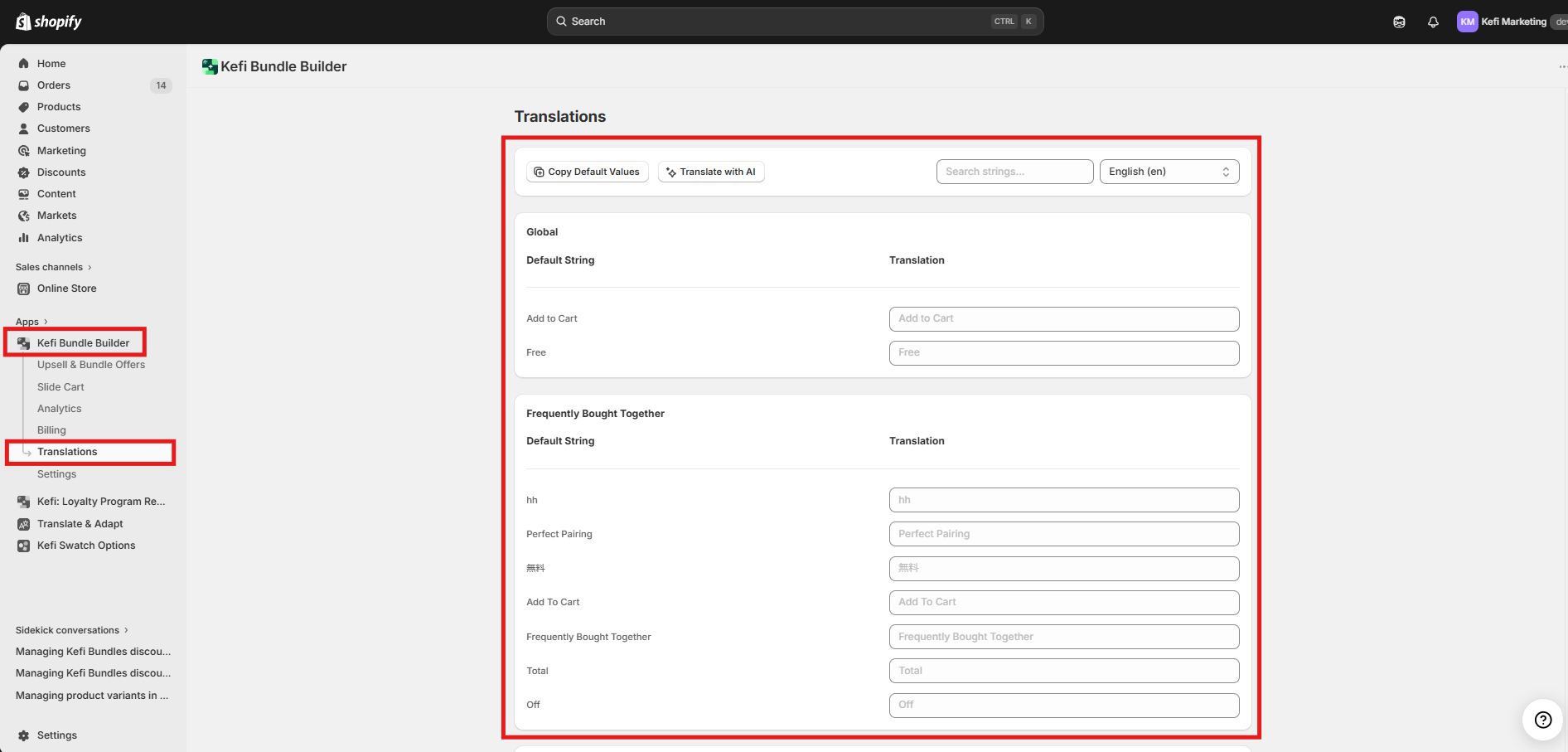
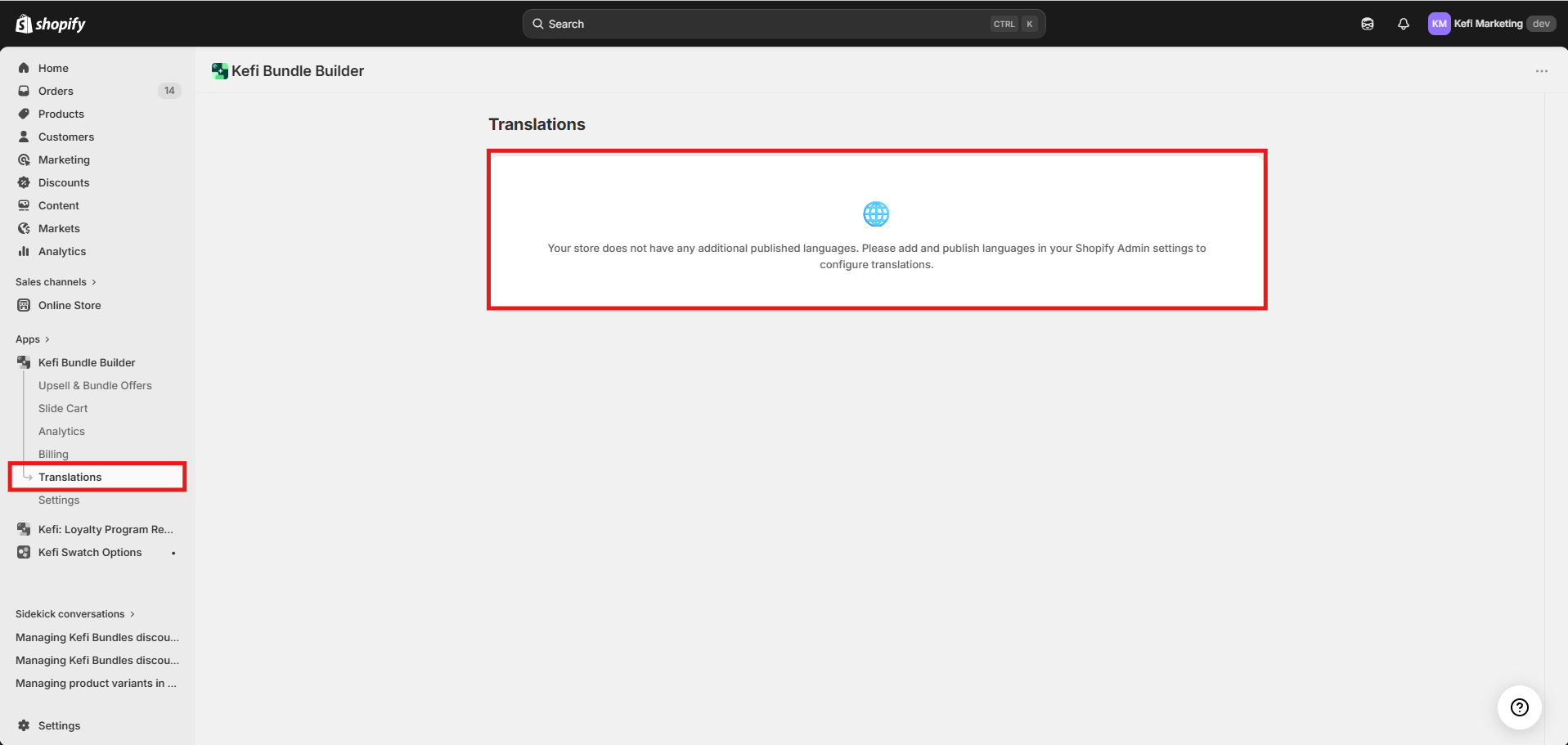
To begin localizing your bundles, navigate to the Translations option within the Kefi Bundle Builder menu.
The app displays text strings categorized for easy management:
Global Strings: Universal terms like "Add to Cart" or "Free."
Bundle Strings: Specific text for your Draft or Published bundles, such as "Frequently Bought Together" or "Standard Bundle".
Step 2: Translating Your Content
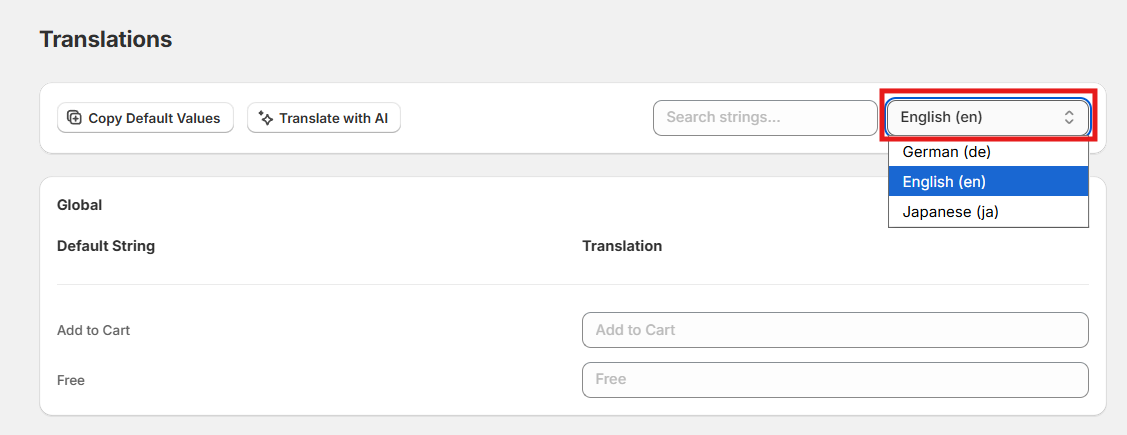
Kefi provides several ways to help you translate your store content efficiently. First, select your target language from the dropdown menu on the top right.
Using "Translate with AI"
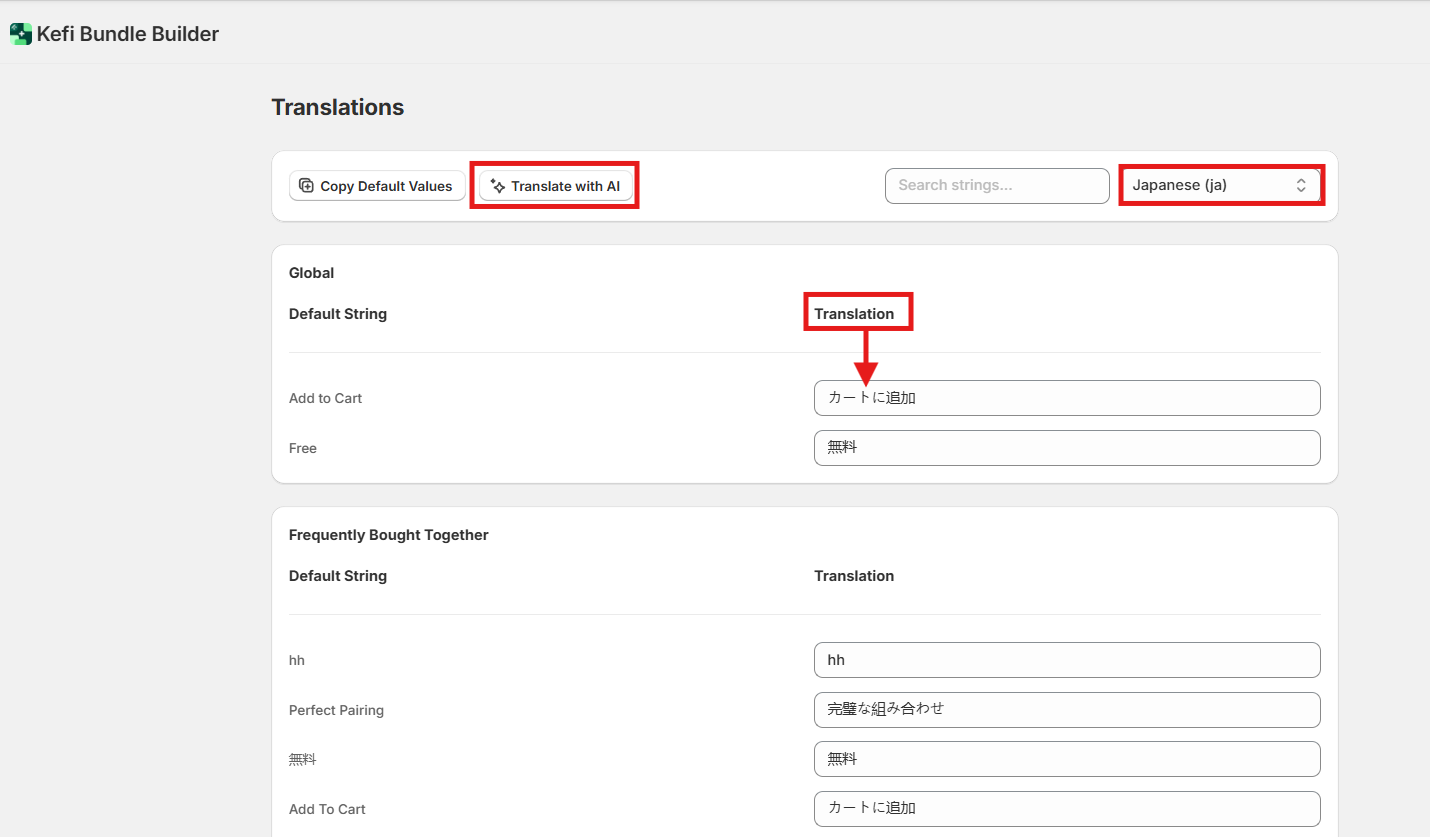
You don't need to manually translate every string. The Translate with AI button automatically populates all available translation fields for the selected language to save you time.
Search and Translate
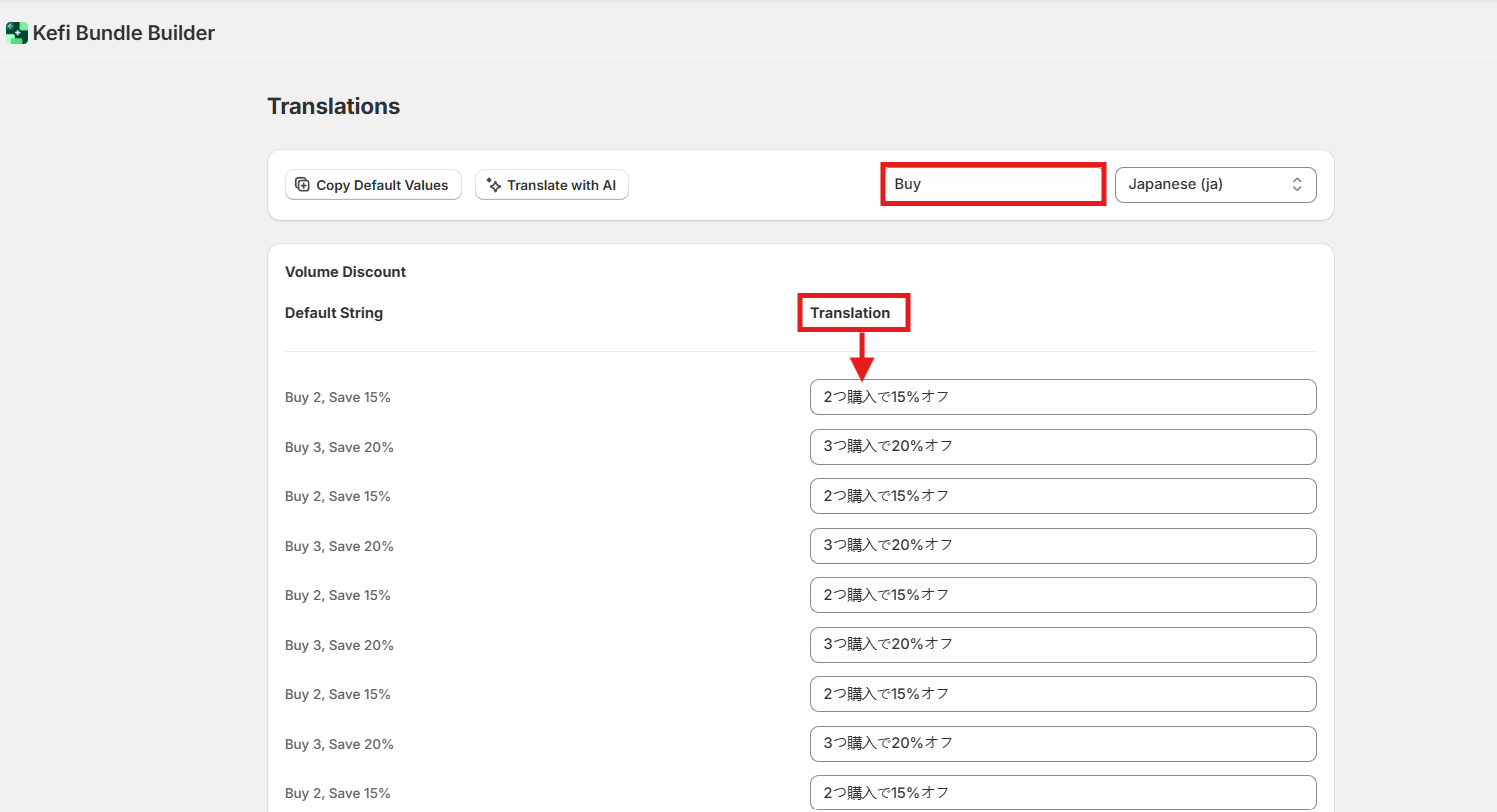
If you need to find a specific term, use the search bar to filter for a particular string and provide a custom translation.
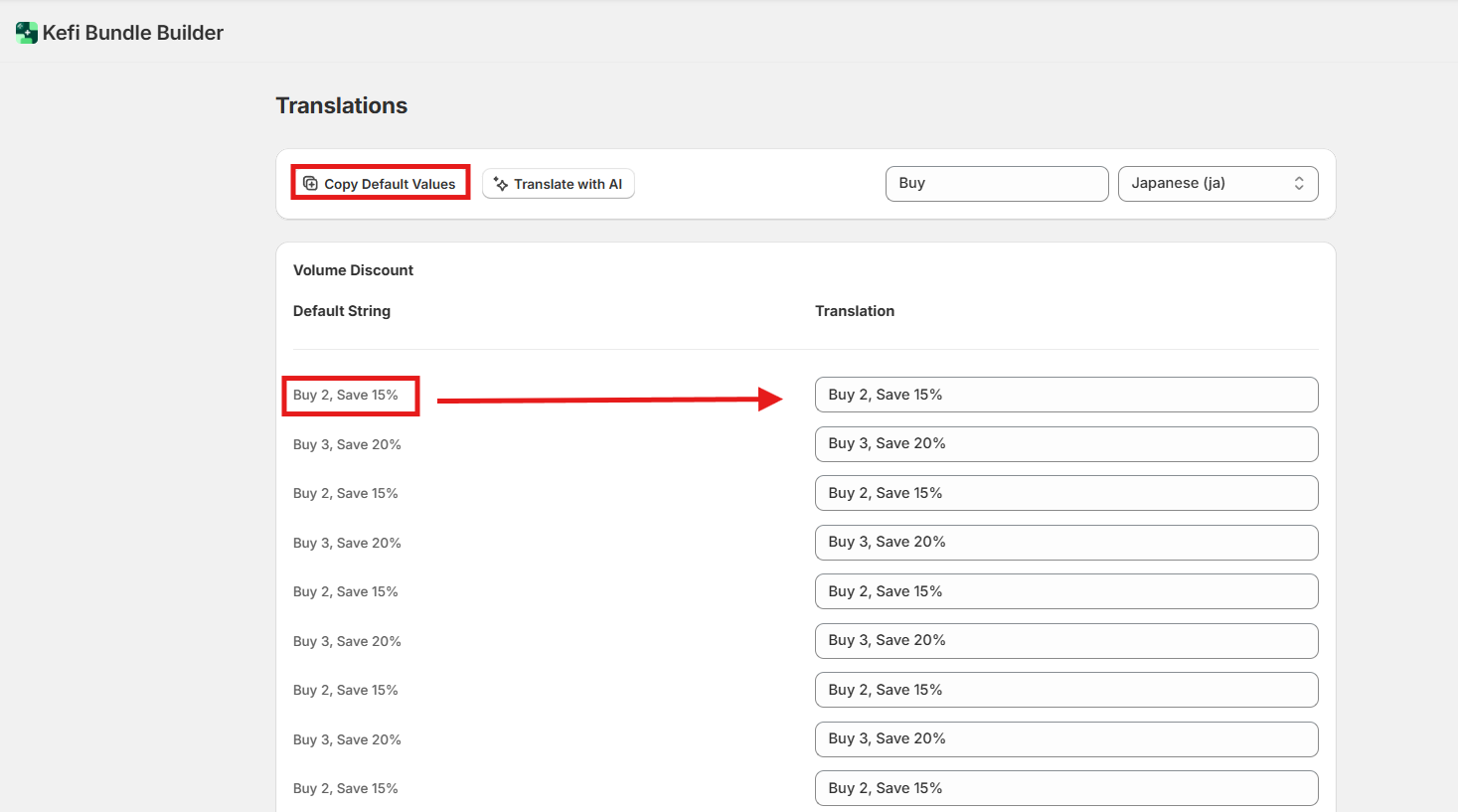
Copy Default Values
If you prefer to keep certain terms in their original language within the translated version, use the Copy Default Values button to quickly duplicate the primary text into the translation fields.
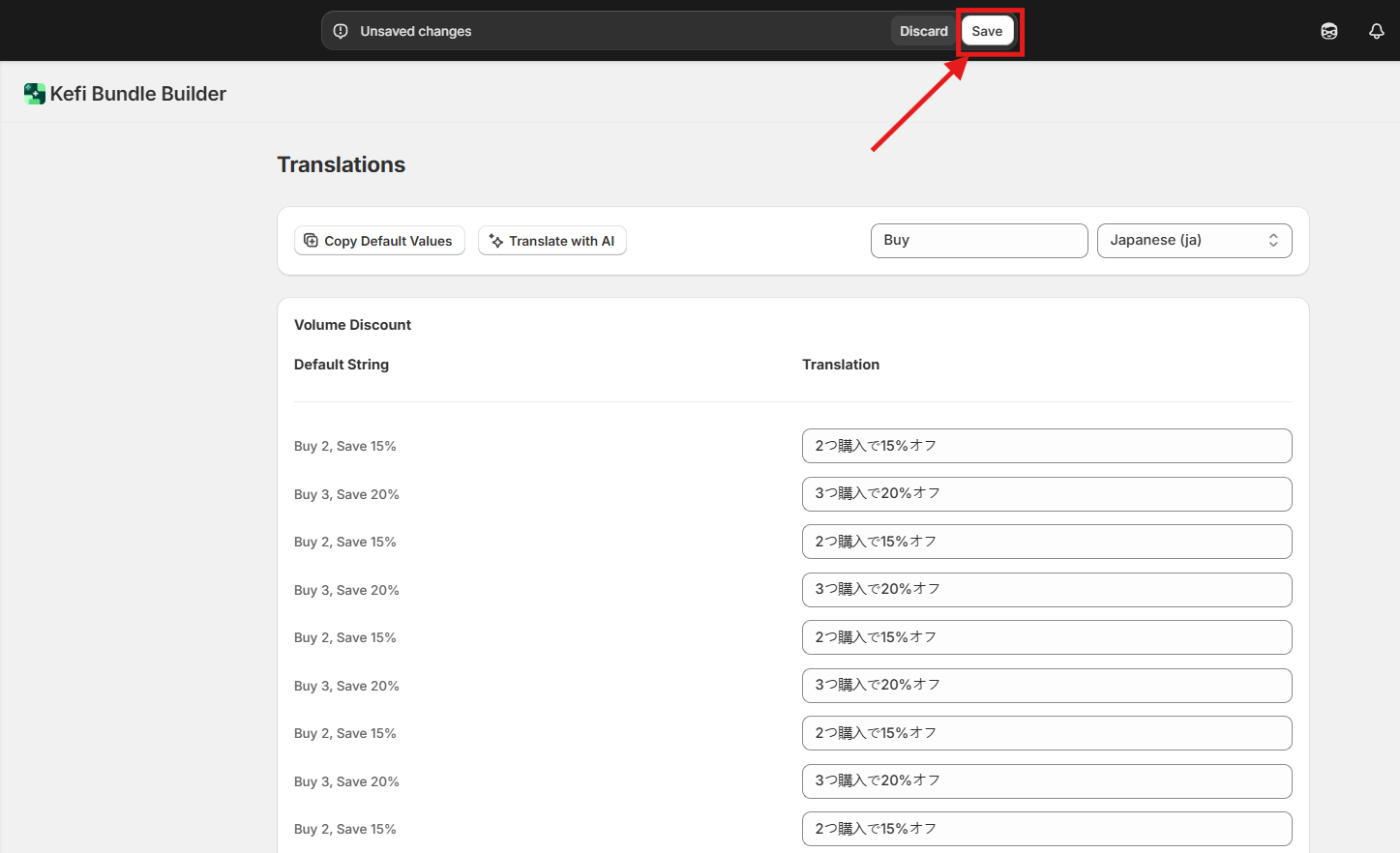
Important: Always click Save at the top of the screen once you have finalized your changes.
How it Appears to Customers
Once translations are saved and enabled, customers will see an option or popup at the top to view the bundle in their preferred language. The app follows standard Shopify bundle behavior, automatically matching the language to the customer's browser settings when available.
Troubleshooting: "No Additional Languages"
If you see a notification stating your store has no additional published languages , you must first configure them in your Shopify Admin:
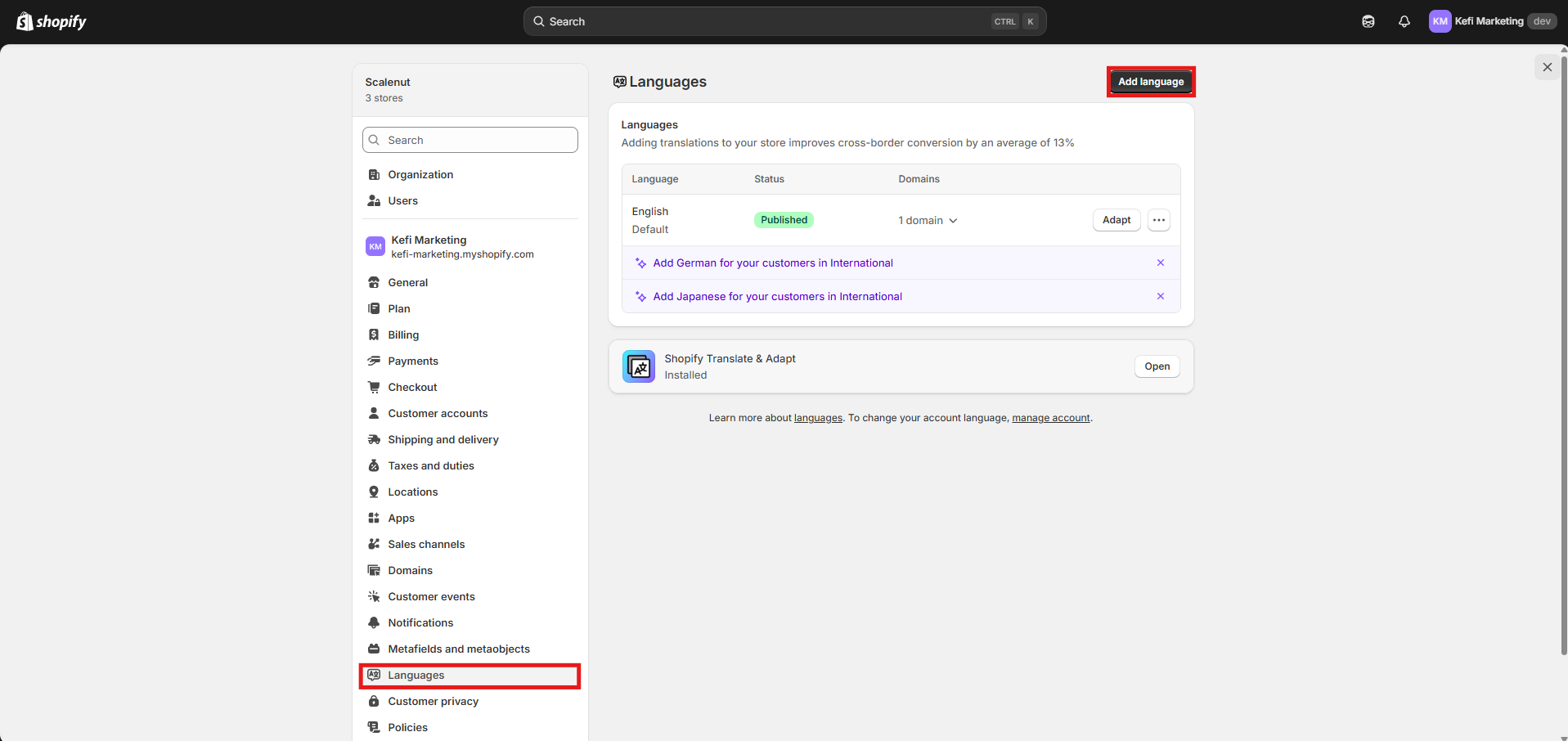
Navigate to Shopify Admin Settings > Languages.
Click Add language and select your desired language.
Once added, click the three-dot menu next to the language and select Publish.
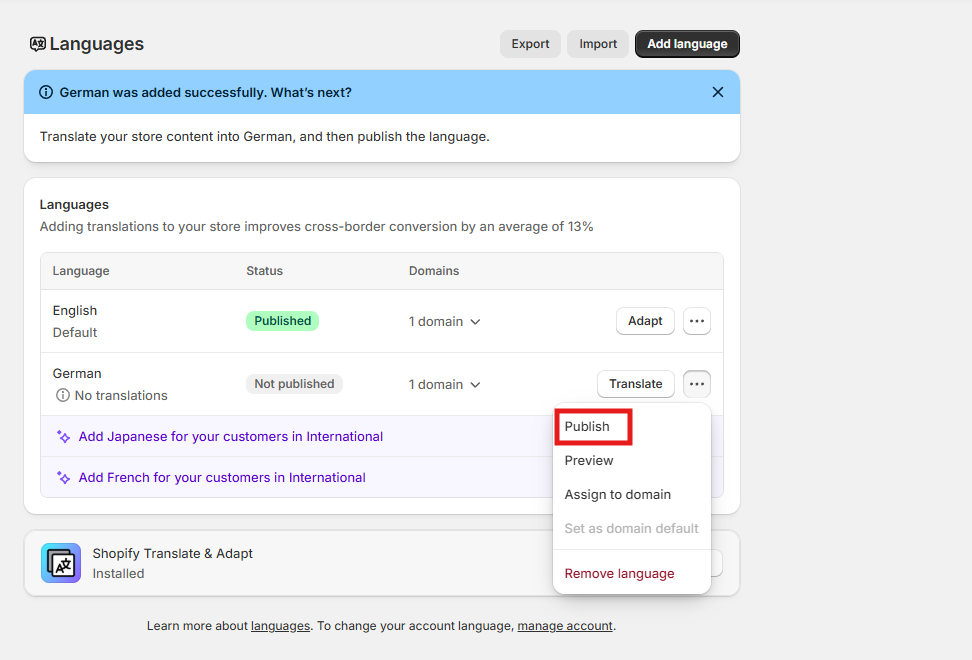
Once published in Shopify, these languages will be available for configuration within Kefi Bundle Builder.